



Al Krow
-
Posts
15,577 -
Joined
-
Last visited
-
Days Won
10
8 Followers


Recent Profile Visitors
21,936 profile views


Al Krow's Achievements



-
Sure, but that's not something that started this year, it's been happening over a couple of decades already, and driven by multiple factors that preceded AI, in particular: - decline in alcohol consumption and pubs closing down; - the rise of video/pc/multi player gaming in popularity as an alternative to going out / heading to a nightclub.
-
Well it's a different audience, isn't it, and you'll often find folk either into classical or pop/rock with some in the overlap group. I really enjoyed going to the Proms! 1 orchestra can have more musos than 10 cover bands. And let's not try to compare musicianship 'cos it's not going to come out too well for the average pub rocker is it? Nope, what I'm saying is pretty much in line with what @Ben Jamin said - live performance is, for me, where it's going to be at. Btw Elvis sang some great songs, the point is no one remembers who wrote them, they remember him though. And it wasn't just about looks, the man could sing and he could also perform.
-
People still go to hear classical music live, right? And arguably the very best of that had been composed by the early 20th Century give or take? There's still a very considerable demand to hear orchestras performing classical "covers". Why is that? The human interaction I'm referring to is between performer and audience. If their rep includes AI music and it's great music, then the performance will still be the performance irrespective of who/what composed the tune. That was my point about Elvis. No one cared who wrote the tune as long as it was a great tune.
-
Haha - now you might not think it misleading if your bandmates wrote their particular parts, but how about Elvis - didn't write any of his own stuff (co-authored a few)? Tbf he never claimed otherwise = full disclosure? And apparently audiences weren't too fussed?! (See earlier comment about performer / audience interaction surviving AI).
-
I've no issue with full disclosure ai labelling whether it be "fully ai generated", "ai assisted" etc - I think folk should be allowed to choose to support/listen to what they want in the same way that "free range" eggs is a useful label? But I agree that there is plenty of human slop out there! Would it be fair to say that 99.99% of original material uploaded could be regarded as derivative and uninteresting? Most successful solo artists / songwriters are using session musicians to lay down the backing tracks. It seems to me that the latter could well be a first music casualty of war with the new tech (just as software engineers, audit juniors etc are finding in their fields of work). Where ai is going to struggle to compete is full band live performances with no backing tracks - and that is where I'm going to be focussing my live bass playing. If we end up including songs that have an ai imprint rather than purely covering other folk's back catalogue, I'm cool with that - the human interaction with an audience will remain intact.
-
Cool thanks - how do you find the Pro version "Editor" for editing / changing parts of tracks you have already got that you're not 100% happy with? I guess that's where the Studio version seems to be a decent step up i.e. feels like a DAW with ai assistance for laying down the tracks?
-
Which version of Suno are you using? I think there are three options: Free, Pro and Studio?
-
Not been our experience: e.g. we all immediately noticed greater articulation through our IEMs when we upgraded our desk (albeit from Soundcraft-> A&H) and the better quality preamps were a big chunk of that improvement I would hazard?
-
Hey Andy, kinda thinking @Phil Starr's RCF 310A set up could be a neat, lightweight and very good sounding set up for you guys. I'll let him jump in with more detailed thoughts, which I'm sure he will be happy to give. @Woodinblack has base speaker plus array set up (also RCF I think), which will deliver a fuller sound, but may be more than you need, but could allow you to also go via the desk if you fancy doing that down the line.
-
 Something I've never done, but would have loved to! What about you guys? What are your stories of being on the road, the highs, the lows and the in-betweens? When did you go and how did it end? What have you got coming up? Pics always welcome!
 -
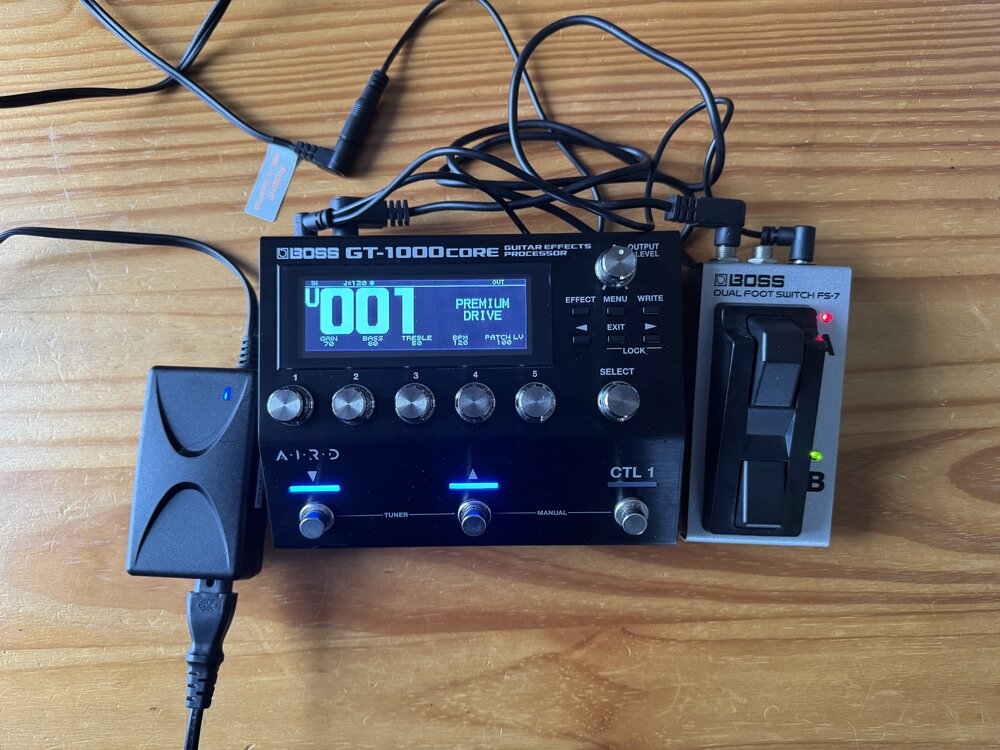 Excellent pedal, and on for a very good price too! GLWTS
 -
I hope that gets labelled the "Al Krow FM heaven" patch when it's formally released! 😅 But more seriously, great work, thanks Peter.
-
Thanks Phil - that's reassuring. I have a spare one already which I use at home and have the Anderton's supplied Fidus one for gigs. I was mainly wanting to rule out the PSUs as being a potential source of these noise spikes.
-
I've taken up folks' suggestion to raise this with A&H, and they have been supportive so far and allowed me to make a warranty claim with Audio Technica, notwithstanding the fact that it is outside the 12 month warranty period. Very reassuring customer service by them so far!
-
@BassAdder60 please see SumOne's post above re. your comparison query? Plus my reasons for wanting the additional features on the GX10. Hope that helps!


